Discover Esri’s training for every learning style
Are you starting your journey with ArcGIS or looking to sharpen your geospatial skills? Esri offers a wide range of training options designed to meet learners at every level, delivering high-quality, high-value technology courses that are mapped to your specific learning needs. Visual, auditory and kinetic learners alike will find a plethora of resource material created by Esri to help them get started.
With GIS becoming ever more important in every area of business, a clear understanding of the technologies that you are working with is vital. Your success is the focus of everything we do at Esri Canada. Let’s dive into the tools and platforms that can help you build confidence and capability with Esri technology.
Starting your journey with Esri Canada’s learning pathways
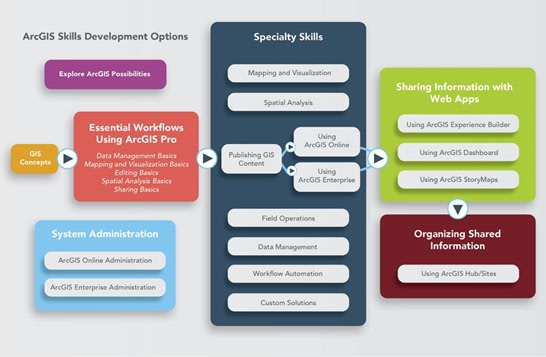
The Esri Canada Learning Pathways are built with ArcGIS Hub that helps learners—whether beginners or advanced users—navigate Esri’s vast training ecosystem. It organizes learning resources by topic and skill level, making it easier to find the right courses, tutorials, and documentation for your needs.
Visual learning
Esri’s newsletters and blog posts are crafted with visual elements like infographics, videos, and structured layouts that make complex GIS concepts easier to grasp.
Newsletters & blogs
Be sure to subscribe to receive a monthly newsletter on valuable GIS training resources.
Through the Esri ArcGIS Blog, you will gain insider knowledge directly from Esri product teams. It covers:
-
- Product updates and feature releases
- Developer tips and data management strategies
- Cartographic techniques and mapping best practices
The Esri Canada Blog is a rich source of GIS insights from a Canadian perspective. It features:
-
- Technical tips and product updates
- Education and research stories
- Community Map of Canada news
- Monthly roundups and industry highlights
Visit the News & Updates page to browse curated posts on:
-
- New datasets and product capabilities
- GIS strategy and implementation tips
- Community success stories and innovations
Manage Your Subscriptions with My Esri
-
- Use My Esri to control which newsletters and publications you receive, including ArcNews and ArcUser.
Auditory learning
For auditory learners, Esri Canada offers a rich mix of spoken and visual content. Tune into our YouTube channel for engaging videos, explore GeoSnaps! for bite-sized insights and visit our webinar section for in-depth discussions led by experts.
Hands-on learning
Do you learn better in a classroom setting? Consider registering for one of Esri Canada’s instructor-led courses. These courses are taught in real-time by a live certified Esri instructor while you remain in the comfort of your own office or home. Ask questions and participate in discussions that encourage peer-to-peer learning.
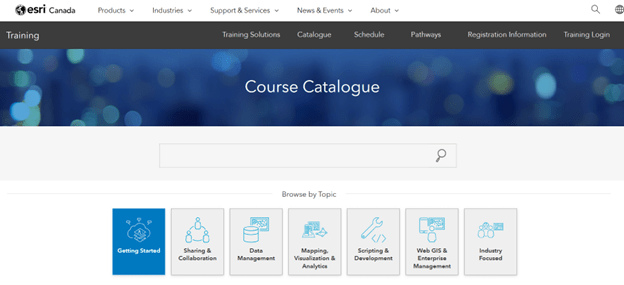
Combination of all three learning styles
Did you know that you have access (with a current maintenance subscription) to a collection of Esri training materials for free? This self-paced e-Learning catalog provides a multitude of web courses, training seminars, and videos. All you need to do is search for them!
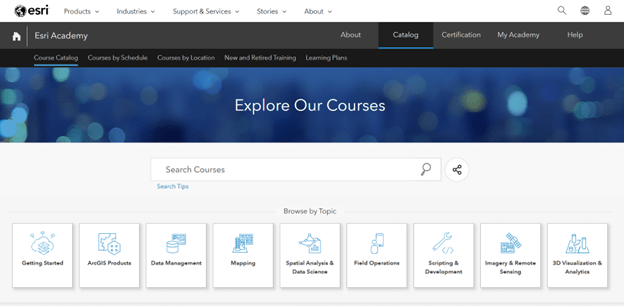
The following are a few videos and documents that will assist you. Feel free to explore further courses in the Esri Academy as material is continuously being added and updated.
MOOCs are self-paced online courses designed to help learners build skills in GIS and ArcGIS technologies. They typically run for 4 to 6 weeks, require 2–4 hours per week, and include:
-
- Step-by-step exercises using ArcGIS software
- Expert-led videos
- Discussion forums to connect with peers globally
The ArcGIS Resource Centre combines blogs, videos, documentation, and training recommendations tailored to your role. You can also enroll in a personal-based onboarding program to receive personalized updates via email.