What is ArcGIS Monitor? A beginner’s overview
If you’re currently using ArcGIS Enterprise in your day-to-day work and want a way to optimize your deployments performance and health, then this blog is for you. I’ll cover the fundamentals of ArcGIS Monitor and explore the benefits you can achieve by integrating it into your ArcGIS Enterprise environment.
As GIS infrastructures grow in complexity and scale, maintaining optimal performance and data integrity becomes increasingly challenging. ArcGIS Monitor will help you maximize your investment in ArcGIS Enterprise by allowing you to easily maintain and manage your enterprise systems.
What is ArcGIS Monitor?
ArcGIS Monitor is a monitoring tool that can be used to oversee the health, performance and security of your ArcGIS Enterprise deployment. It is tailored to the unique needs of GIS systems, offering insights into geospatial data workflows, server health and user activity in real-time.
Monitor provides a platform that empowers you as an administrator to proactively identify issues and can help you to optimize your deployments performance by viewing ongoing statistics about just about everything within your environment. This tool allows us to have seamless operation of our enterprise systems and enhances the reliability of the GIS services that you provide.
Why monitoring matters in GIS
GIS systems are expanding rapidly in both capability and size, evolving into complex ecosystems that include portal servers, hosting servers, databases, web services and client applications. Managing these interconnected components is crucial to ensuring the success and reliability of your GIS environment. Any disruptions or performance issues can significantly impact data integrity, application usability and overall user experience.
Understanding the importance of monitoring your GIS systems is key to effective management. Here are some reasons to prioritize active monitoring of your GIS implementations:
-
Ensuring data integrity:-Helps to identify anomalies or inconsistencies in data workflows, preventing errors in analysis and supporting accurate decision-making.
-
Maintaining performance:-Detecting bottlenecks in server response times or network latency ensures minimal downtime and fast, reliable access to geospatial data.
-
Security and compliance:-Monitoring user activity and system access safeguards sensitive information and helps you adhere to organizational security policies.
-
Proactive issue resolution:-Early detection of potential problems allows administrators to resolve issues before they escalate into major outages, maintaining system stability and availability.
Core features of ArcGIS Monitor
Since we now have a foundational understanding of what ArcGIS Monitor is and how monitoring your GIS environment can impact your organization, we can begin to understand the benefits of having a tool like ArcGIS Monitor. Having real-time information about your deployments can help you be proactive with your environment and prevent issues from occurring in the long run.
Let’s look at some of the core features that ArcGIS Monitor has to offer:
Real-time monitoring
- Tracks health of components and displays metrics like CPU, memory and network
- Creates Dashboards that highlight issues quickly
Performance analytics
- Analyzes response times and service availability
- Finds bottlenecks and provides trend data
Workflow & data monitoring
- Tracks data ingestion, processing and sync status
- Ensures data accuracy and timeliness
Alerts & notifications
- Sends customizable alerts for issues or breaches
- Set customizable thresholds. When they are being met/close to being met, you will get warnings
Custom dashboards
- User-friendly dashboards tailored to needs
- Visuals for faster decision-making
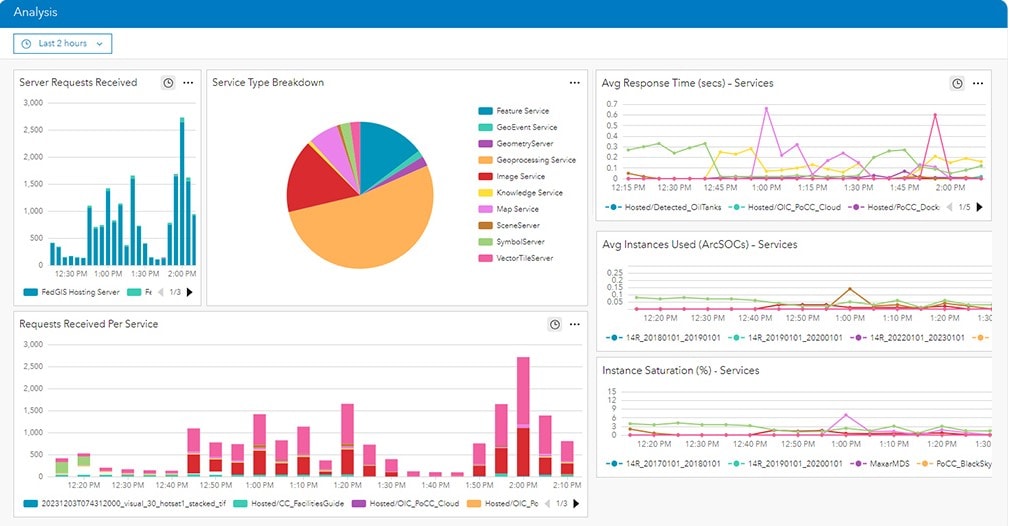
Example of an ArcGIS Monitor Dashboard
Benefits of using ArcGIS Monitor
Implementing ArcGIS Monitor offers numerous advantages for your organization. Primarily, it enhances system reliability and optimizes performance. The continuous monitoring capabilities enable early detection of issues and significantly reduces system downtime. Additionally, it provides customizable metrics that administrators can adjust to create tailored workflows, boosting speed and efficiency, ultimately delivering a better user experience.
Finally, by proactively identifying potential issues, ArcGIS Monitor allows you to avoid costly system outages and emergency repairs. Early problem detection is essential for maintaining smooth operations, ensuring your systems run seamlessly for all users.
Recent Updates in ArcGIS Monitor / Life Cycle
Like most Esri products, ArcGIS Monitor follows a defined release lifecycle. Currently, we are on version 2025.1. The latest release introduces new features, enhancements and stability improvements. Please refer to the release notes to see detailed information on the new features, improvements, and issues addressed.
As mentioned, ArcGIS Monitor’s versioning follows a specific pattern. Notably, any version ending in .0 is a major release. Versions with a single decimal (e.g., .1) are minor releases, while those with a second decimal (e.g., .0.1) are cumulative maintenance releases. Here are some examples:
-
2025.1-– Minor Release
-
2025.0.1-– Cumulative Maintenance Release
-
2025.0-– Major Release
Understanding this naming convention helps you anticipate when new features or updates will be available versus when maintenance updates are released.
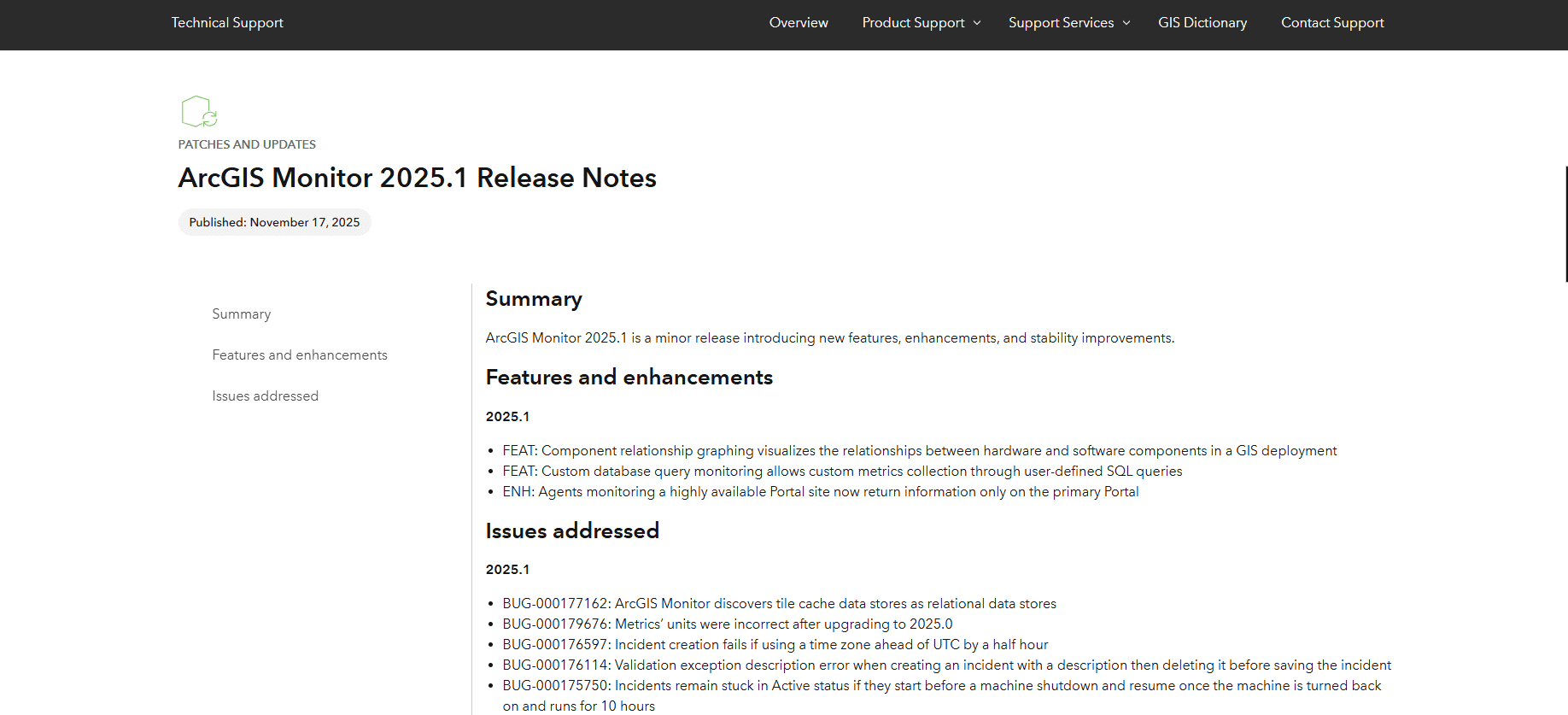
Recent Updates Release Notes for Version 2025.1 of ArcGIS Monitor
Conclusion
As GIS technology continues to evolve, so will the capabilities of monitoring tools like ArcGIS Monitor. ArcGIS Monitor offers a dedicated, powerful solution to oversee your GIS infrastructure proactively. By leveraging its real-time insights, performance analytics and security features, organizations can enhance their systems’ reliability and optimize workflows to determine what works best with your GIS systems.
Investing in a solution like ArcGIS Monitor is not just about simply monitoring downtime of your deployment. It helps you to make insightful decisions on how to securely and accurately manage your deployment. This can allow you to enhance and maintain your organization’s enterprise systems to the best of your ability. ArcGIS Monitor is a vital tool to keep your spatial data ecosystem healthy and thriving.