Three Ways AI Can Help You Work Smarter in ArcGIS Business Analyst
ArcGIS Business Analyst includes several AI-powered capabilities that make analysis more intuitive and efficient. In this blog, we'll explore how Business Analyst Assistant, Points of Interest Search and the Data Browser use natural language and semantic search to help users quickly find workflows, businesses and relevant data.
When people think about AI, they often think about chatbots, image generation or automated content creation. ArcGIS Business Analyst takes a different approach.
Rather than generating outputs for users, AI is integrated into the application to help users discover workflows, find businesses and identify relevant data more efficiently. Today, AI appears in three key areas of ArcGIS Business Analyst Web App:
- Business Analyst Assistant
- Points of Interest Search
- Data Browser
Let's take a closer look at how these capabilities work and where they can add value to everyday analysis workflows.
Business Analyst Assistant
The most visible AI capability in Business Analyst is the Business Analyst Assistant.
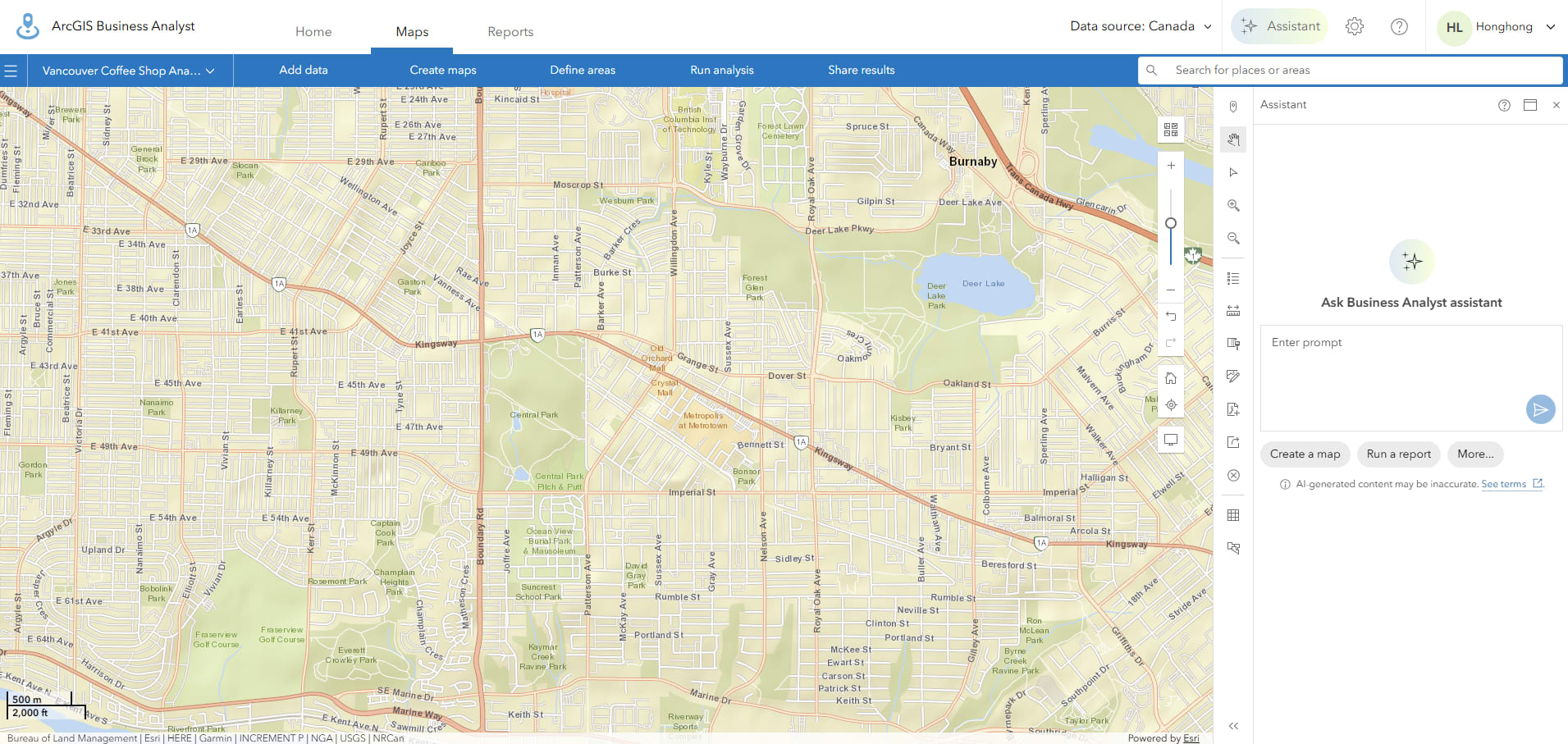
Business Analyst Assistant available from the application header.
The Assistant allows users to interact with Business Analyst using natural language. Instead of navigating through menus and deciding which workflow to use, users can describe what they are trying to accomplish and receive recommendations for datasets, reports, workflows, tips and resources.
One of the ideas behind the Assistant is helping users get started more quickly, particularly when they know the question they want to answer but aren't sure which Business Analyst workflow should be used.
For example, if a user is interested in opening a business in the City of Vancouver but is unsure where to locate it, they can simply open the AI Assistant from the top-right corner and enter a prompt such as:
"Show areas with high population growth in the City of Vancouver."
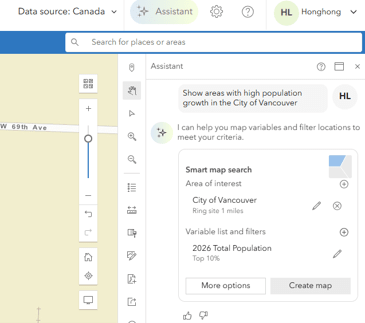
Using a natural language prompt in Business Analyst Assistant.
The AI Assistant recommends appropriate workflows, including suggested areas of interest and relevant variables. For this query, the AI Assistant recommends using the City of Vancouver as the area of interest and the 2026 Total Population variable to create the map. It then generates a colour-coded map that visualizes population patterns and highlights areas that best align with the user's request.
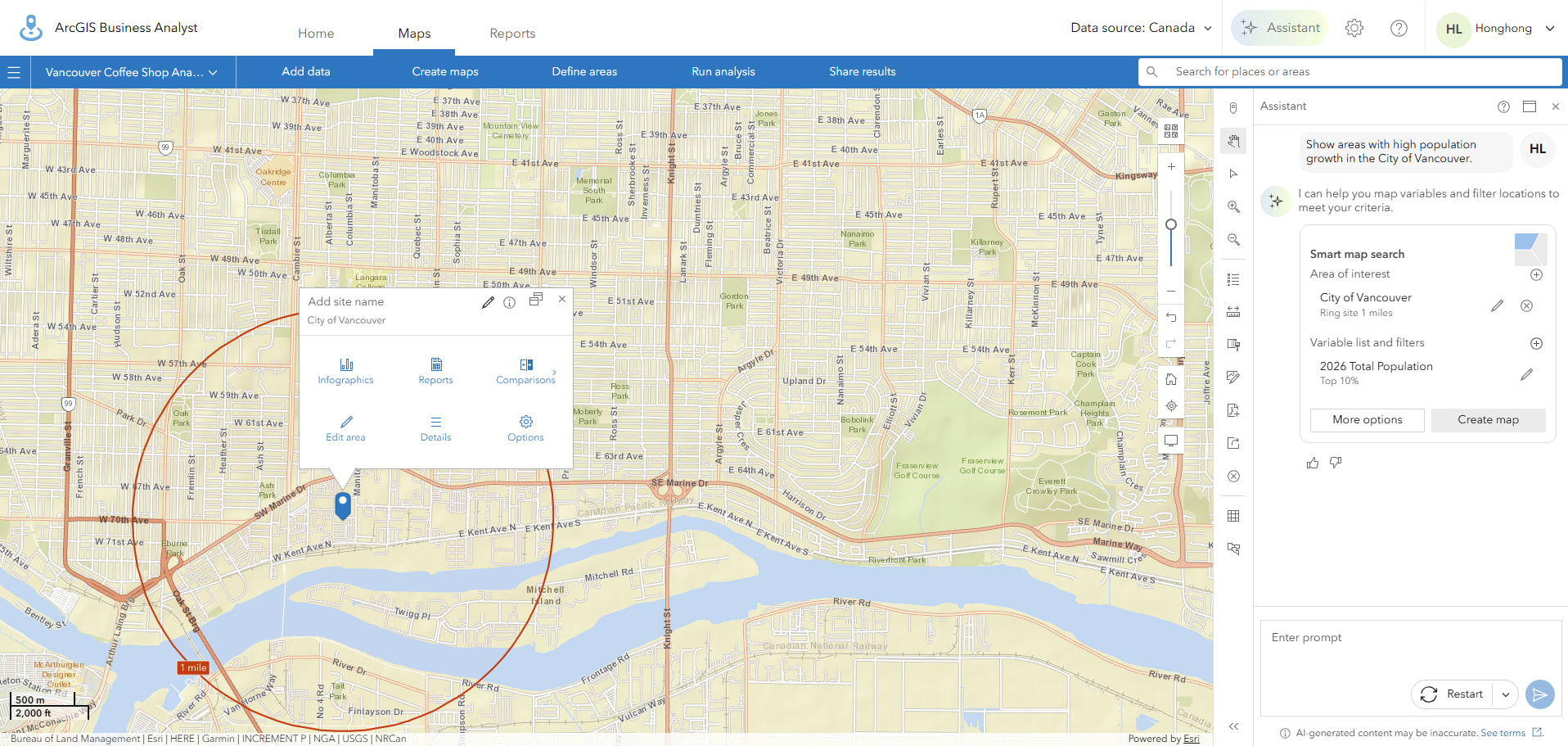
The Assistant recommends a workflow with variables.
It is important to note that the AI Assistant initially recommends the area of interest as a point location. Users can then refine the analysis area by generating rings of varying distances around the selected location. This flexibility allows the area of interest to be customized to support different business questions and workflows. In this example, 5 km, 10 km and 15 km rings were created to ensure that the full extent of the City of Vancouver was captured in the analysis.
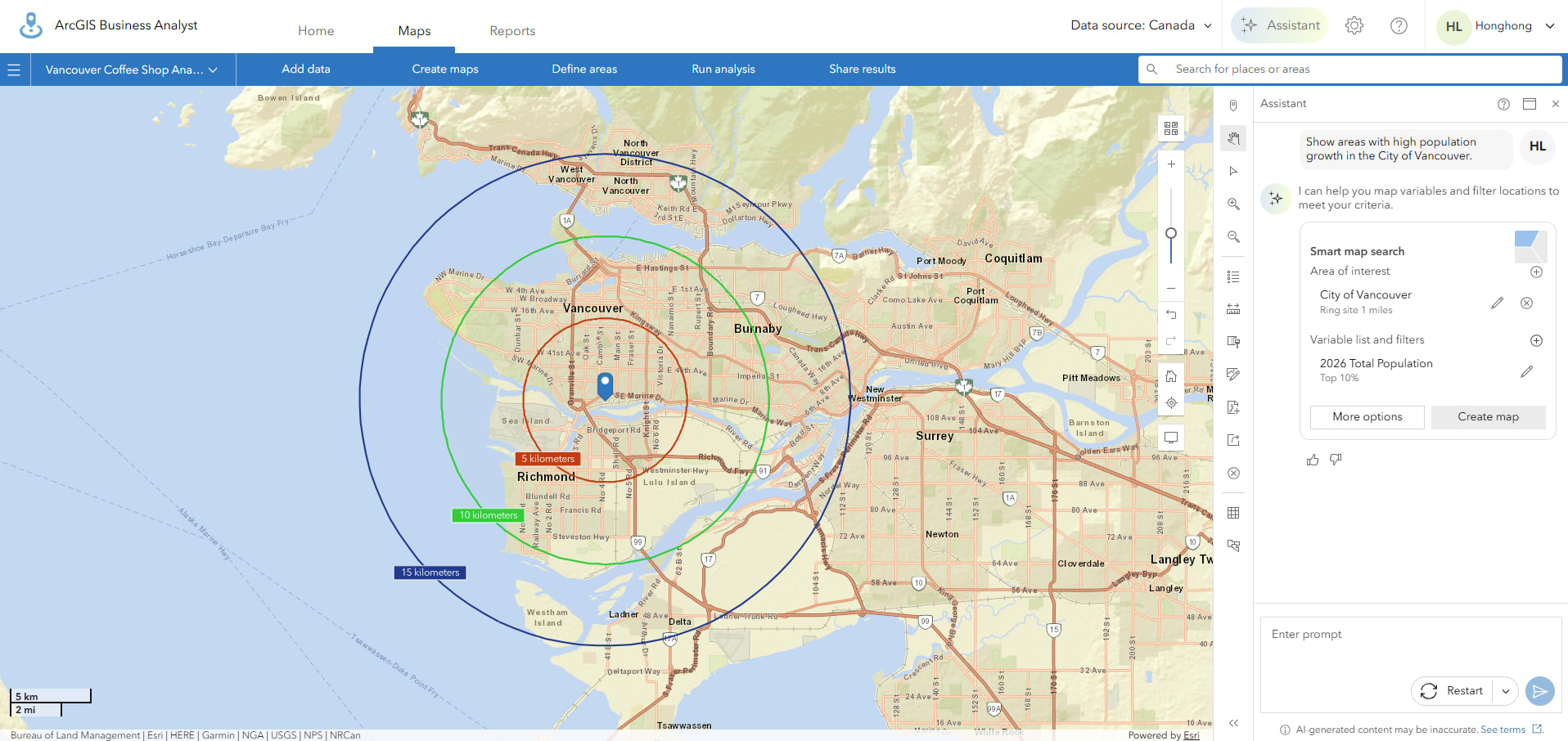 Analysis rings created around the selected location.
Once the area of interest has been confirmed, the recommended variables and filters can be used to create the map. In response to the population growth query, the AI Assistant suggested creating a colour-coded map using the 2026 Total Population variable. Variables can be selected and filtered from the left-hand panel, and a summary of the results is provided at the bottom of the page once the map has been created.
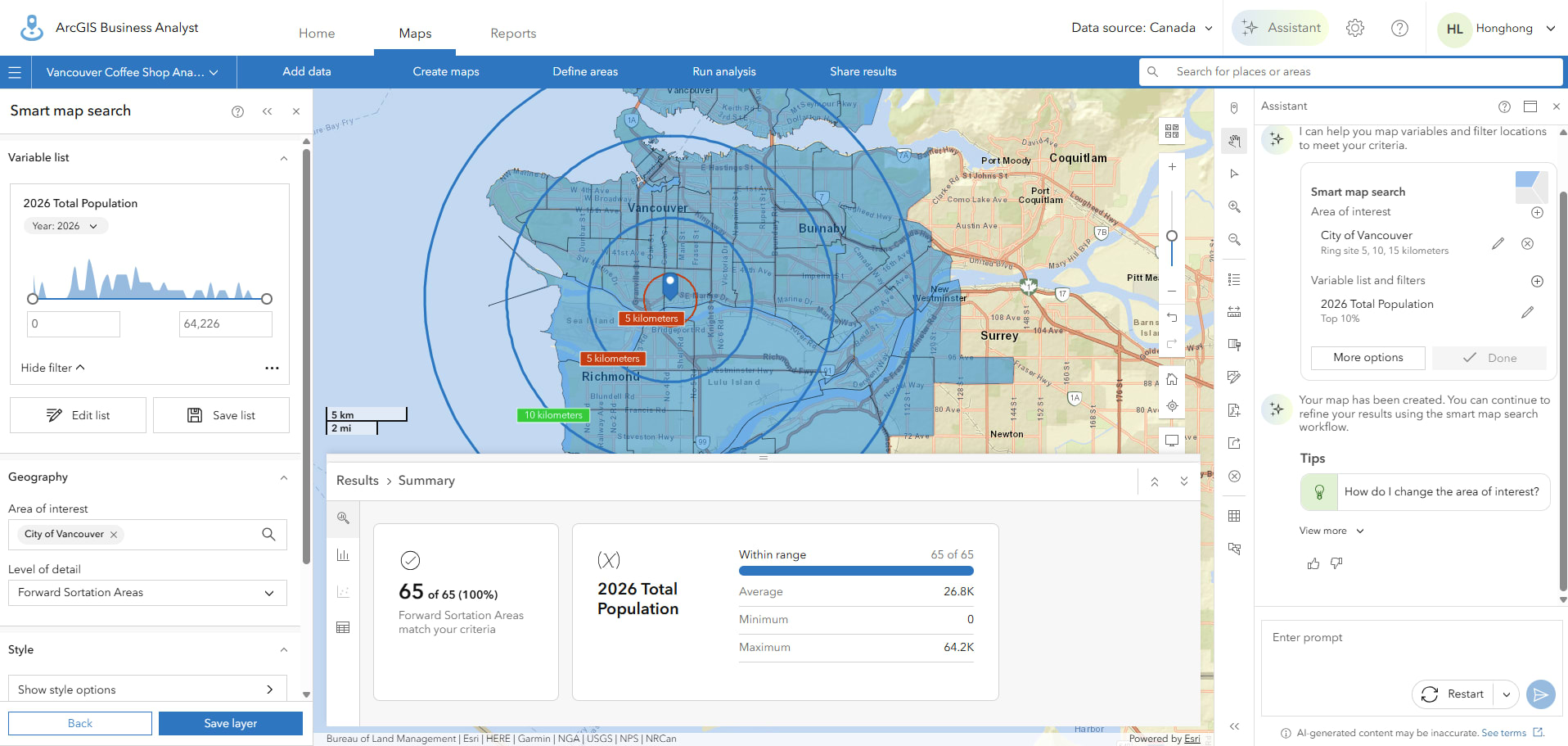
Population results displayed in a colour-coded map.
What makes the Assistant particularly useful is that it acts as a bridge between business questions and Business Analyst workflows. Users can focus on asking questions while the Assistant helps identify possible ways to answer them.
Points of Interest Search
The second AI capability appears in Points of Interest Search.
At first glance, POI Search might seem like a traditional business search tool, but it includes semantic search functionality that helps interpret the meaning behind a search phrase rather than simply matching keywords.
In traditional searches, users often need to know the exact business category or industry code they are looking for. With semantic search enabled, Business Analyst can return businesses related to the concept being searched, even when exact wording differs.
Business Analyst supports several POI data sources, including Data Axle, SafeGraph and Foursquare. While Data Axle is known for its rich business attributes, SafeGraph provides additional insights into operating hours and place activity, and Foursquare offers extensive global coverage for location-based analysis.
For example, imagine you're exploring recreational opportunities for families in a community.
You might search for:
grocery stores
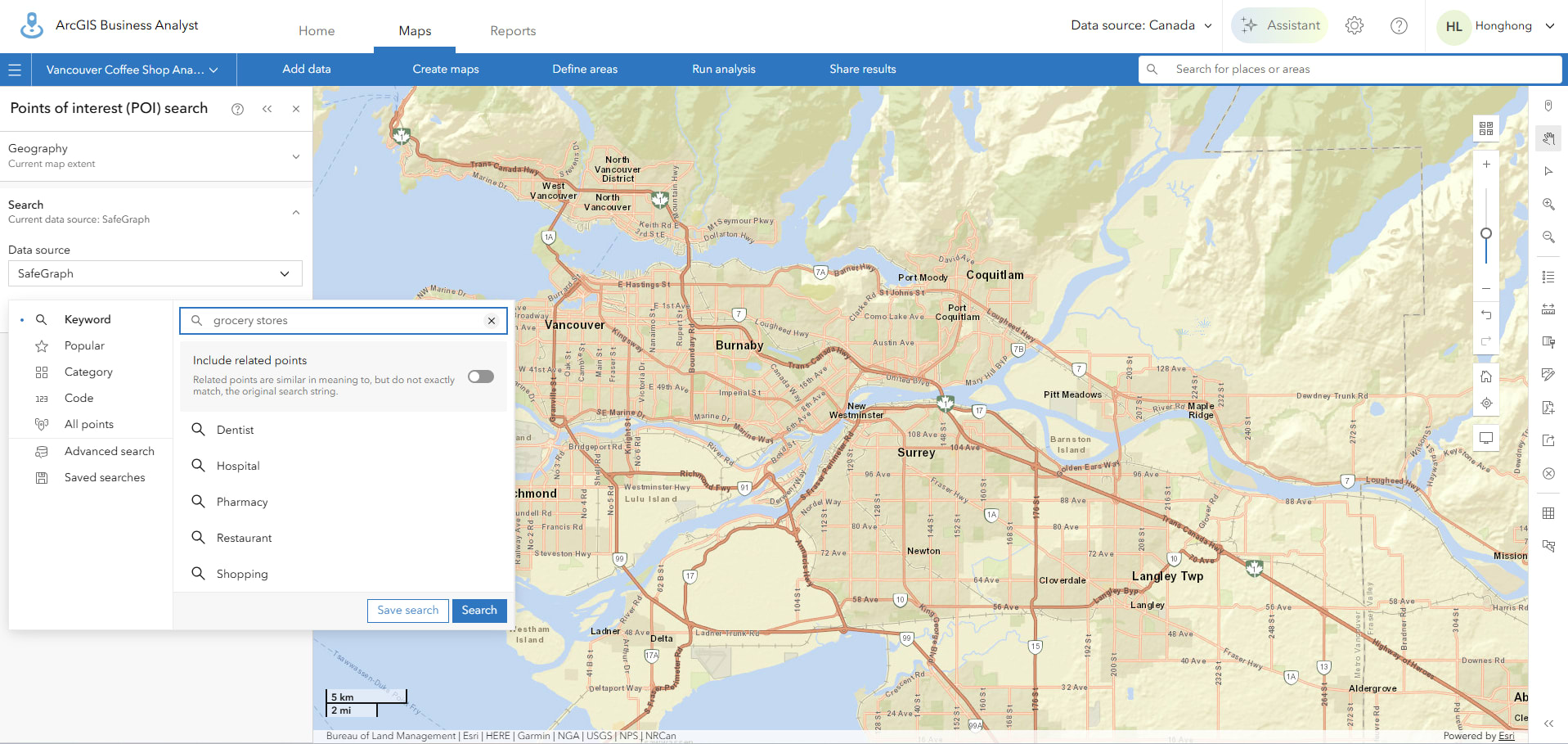 Searching for grocery stores using semantic search.
Instead of returning only businesses that contain those exact words, the semantic search capability can identify locations that are conceptually related to grocery stores. As shown in the image below, the map displays a variety of grocery retailers across the study area, along with information about their locations, brands and business descriptions. This semantic search capability helps users discover relevant businesses more efficiently, even when they are unfamiliar with specific categories, industry codes or retailer names.
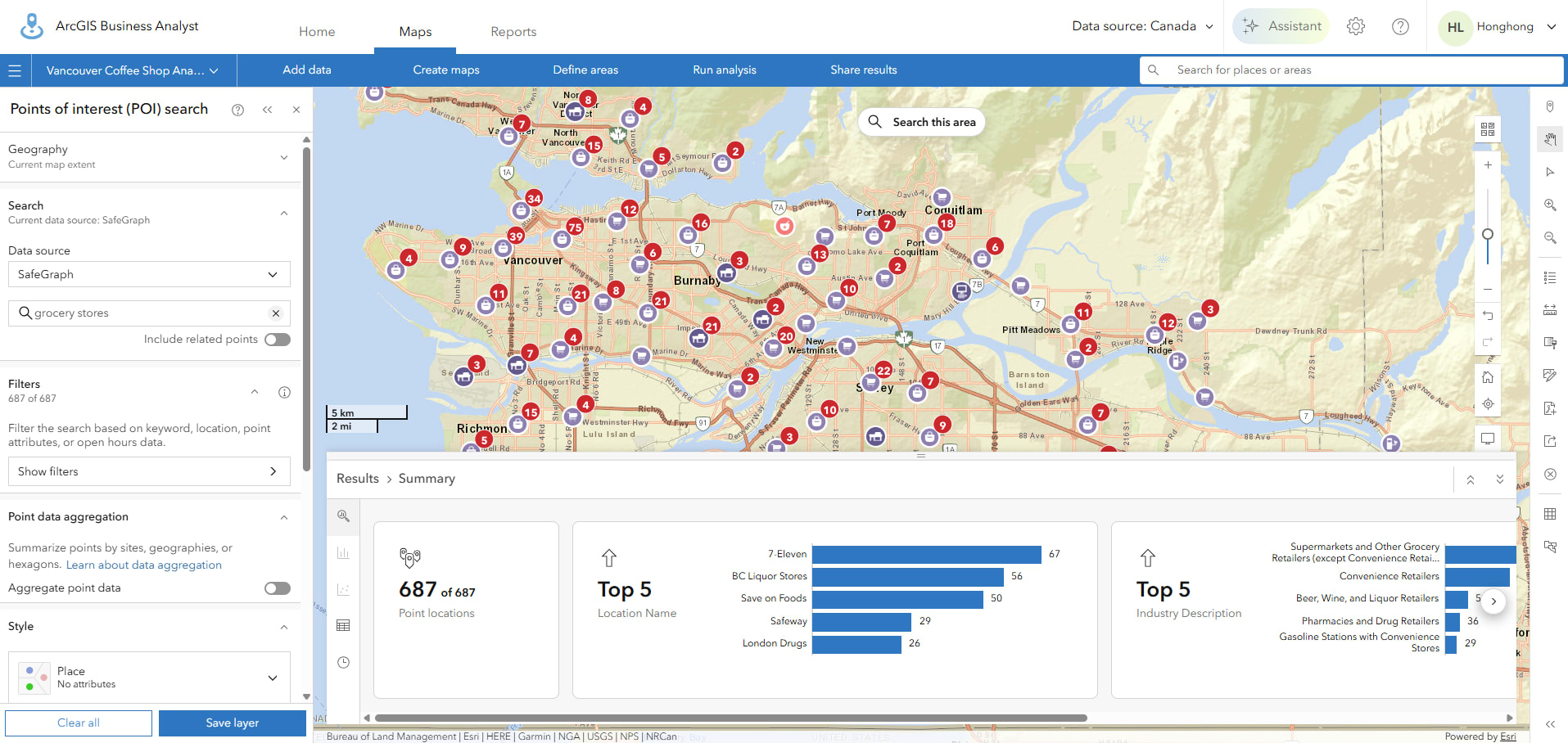 Semantic search returns a variety of grocery retailers.
This approach reduces the need-to-know industry classifications, business categories or specific retailer names before beginning an analysis. By allowing users to search using the language they naturally use when describing a business need, semantic search makes it easier to discover relevant businesses and explore market opportunities.
Data Browser
The third AI capability is found in the Data Browser.
Unlike Points of Interest Search, which helps users discover businesses and locations, the Data Browser helps users discover the data variables that power Business Analyst analyses. It serves as a centralized interface for exploring demographic, socioeconomic, consumer spending and market data available within the application.
The Data Browser can be accessed from several Business Analyst workflows, including Colour-Coded Maps, Smart Map Search, Suitability Analysis, Void Analysis, Threshold Areas, Reports, Infographics, and Benchmark Comparisons. As a result, it is often one of the most frequently used components in Business Analyst.
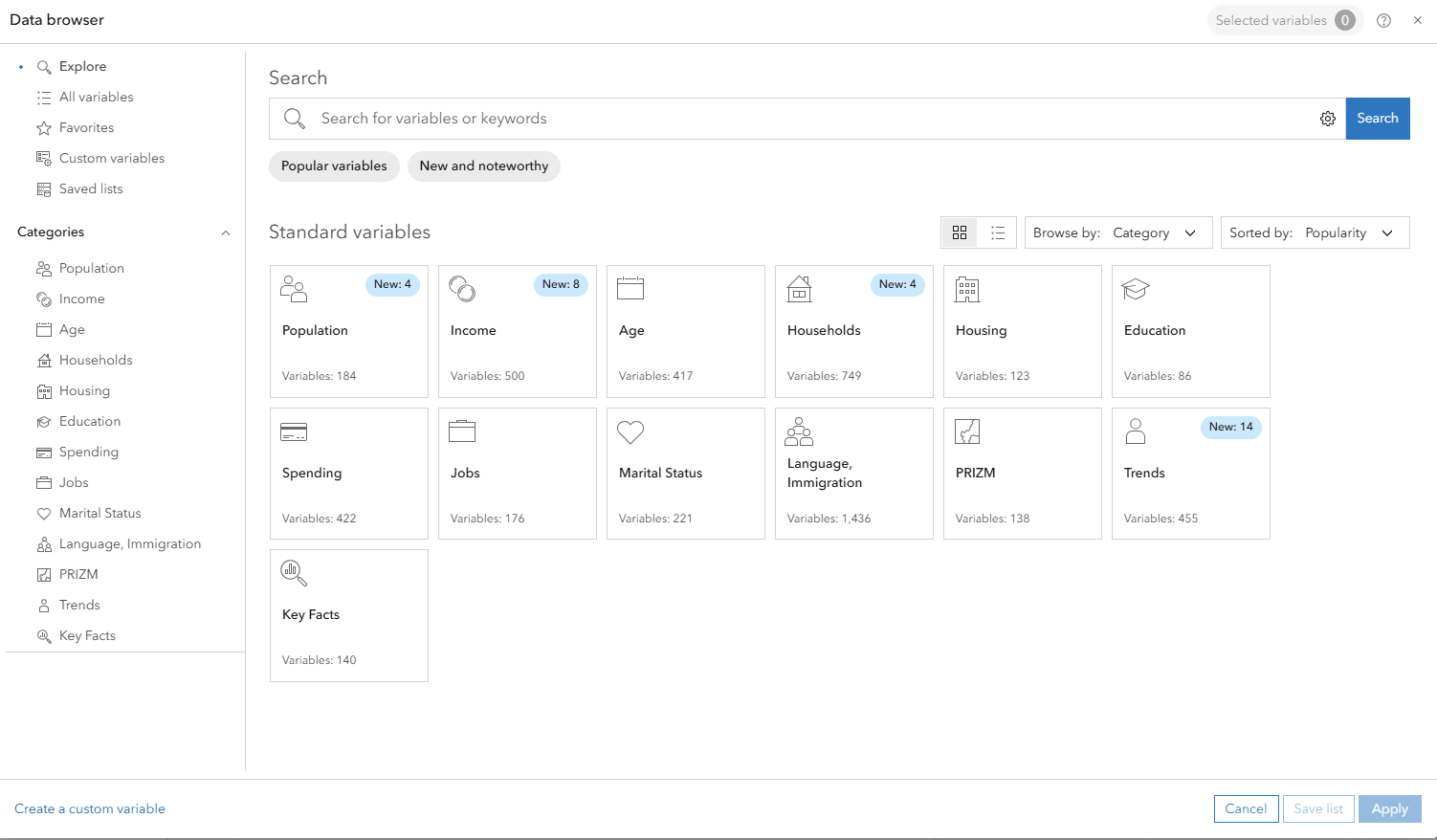 The Data Browser is available in multiple workflows.
The Data Browser is available across many Business Analyst workflows, making it a central hub for discovering data variables.
Business Analyst contains thousands of variables, and finding the right one can sometimes be challenging, especially when users know the type of information they need but not the exact variable name. To help address this challenge, the Data Browser uses semantic search to return variables related to a user's search terms. Rather than requiring exact variable names, the system attempts to identify data that is conceptually related to the search topic.
For example, while creating a Colour-Coded Map, a user may want to analyze housing affordability but may not know which variables are most relevant. Instead of searching for specific variable names, they can simply enter:
Housing affordability
Rather than returning only variables containing the word affordability, the Data Browser surfaces related variables associated with household income, housing costs, rent, homeownership and other affordability-related indicators. This allows users to quickly identify relevant variables without needing detailed knowledge of Business Analyst's extensive data library.
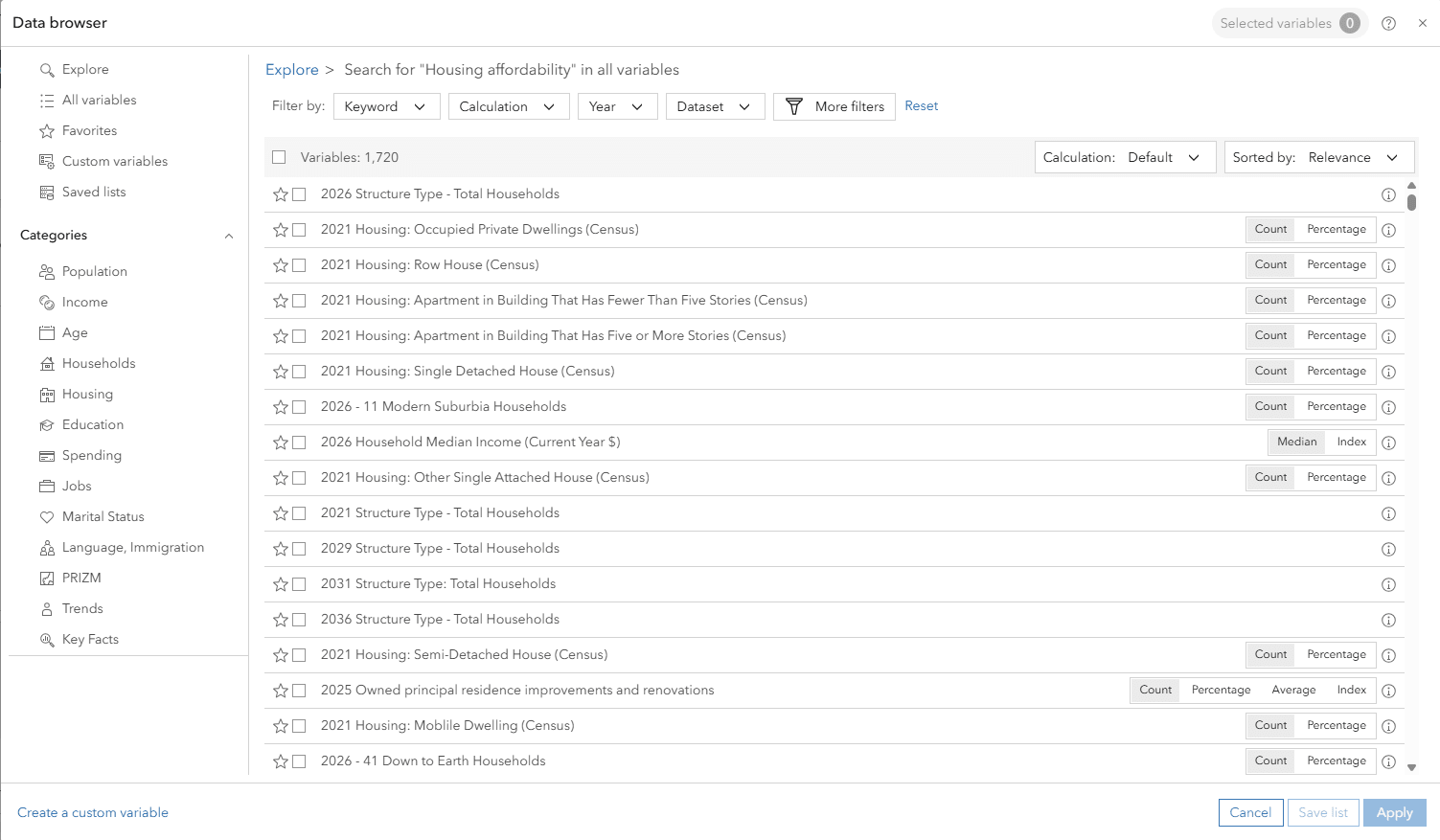 Searching for housing affordability in the Data Browser.
Searching for "Housing affordability" in the Data Browser returns a variety of related variables that can be used in Business Analyst workflows.
By understanding the intent behind a search rather than relying solely on keyword matches, semantic search helps users discover relevant data more efficiently and spend less time searching through thousands of available variables.
Three AI Features, One Goal
Although these capabilities appear in different parts of ArcGIS Business Analyst, they share a common objective: helping users find the information they need more efficiently.
-
The Business Analyst Assistant helps users find workflows.
-
The Points of Interest Search helps users find businesses through semantic search.
-
The Data Browser helps users find variables through semantic search.
Together, these capabilities demonstrate how AI is being incorporated into ArcGIS Business Analyst, not to replace analysis, but to make workflows more accessible and intuitive. Whether users are exploring data, searching for businesses, or simply trying to determine where to begin, AI is helping reduce the time spent searching so more time can be spent analyzing and making decisions.