ArcGIS Hub Premium 101: Initiatives, projects and events
Collaboration is at the heart of ArcGIS Hub Premium. Initiatives, projects and events give your community a clear way to participate, contribute and get involved.
What is ArcGIS Hub Premium?
ArcGIS Hub Premium allows users to connect with their community in new ways by introducing features that are not available in ArcGIS Hub Basic. With the introduction of initiatives, projects and events, ArcGIS Hub Premium makes it easier than ever to collaborate with people who are not in your organization.
ArcGIS Hub Premium unlocks access to a separate community organization where you can add users who are not in your employee organization. Whether these community members are volunteers, students or members of the general public, they can all have their own unique account within the community organization. This allows you the ability to provide each member with the content and privileges that they will need to complete their portion of the work. You can allow these members access to view and edit content using groups, just like you would in your employee organization.
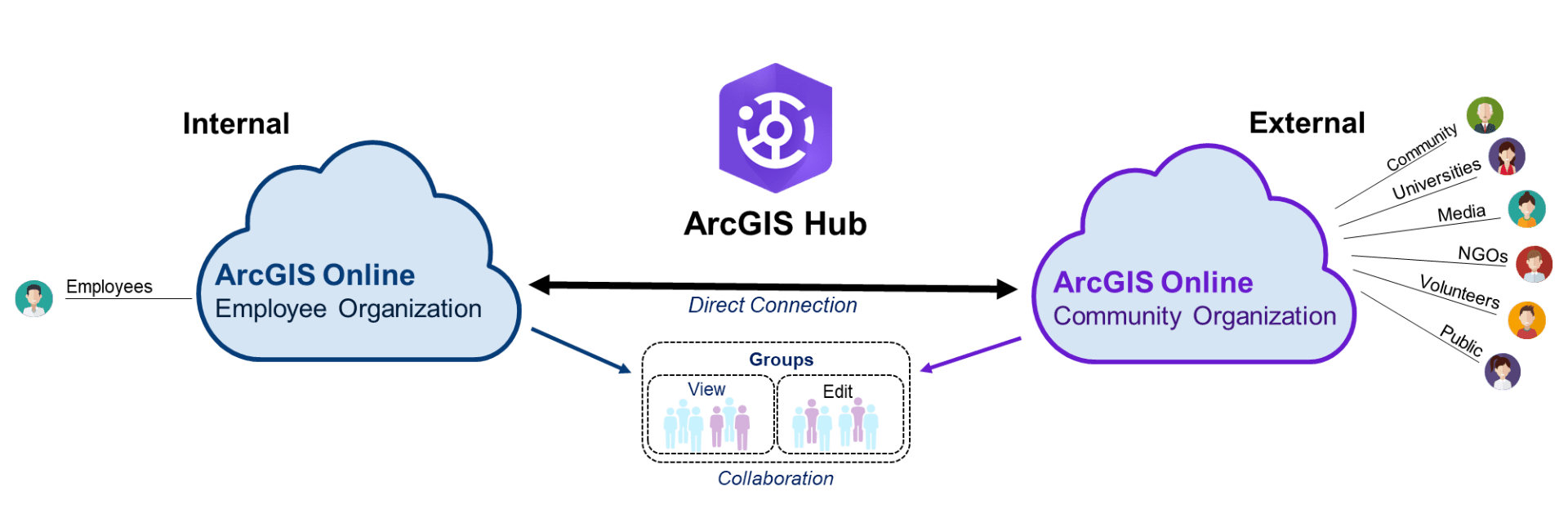
How ArcGIS Hub Community Organization interacts with the Employee Organization
With ArcGIS Hub Premium comes more than just the separate community organization. In this blog we will cover 3 ArcGIS Hub Premium features; initiatives, projects and events.
Initiatives
Initiatives are used to organize and coordinate work to reach your long-term goals. They act as a home base for your larger goals, bringing together your content, goal-tracking metrics and groups that support your mission.
As initiatives are an out of the box feature in ArcGIS Hub Premium, when you create one, a main page will be set up for you along with groups that will help you organize your work. The initiative page houses your timeline, metrics and goals along with pages set up for your content, projects and events that are related to the initiative.
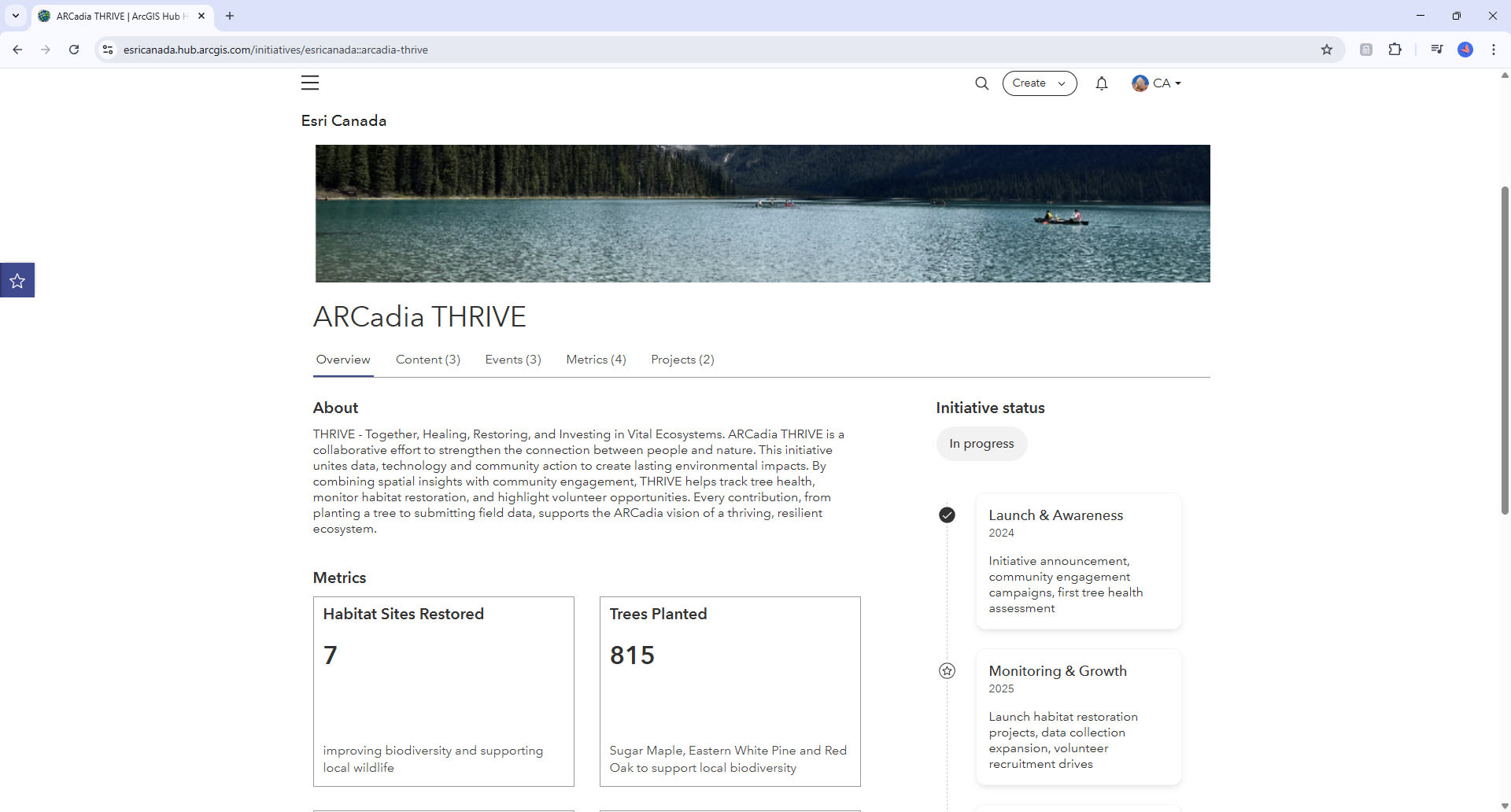
ArcGIS Hub Initiative page highlighting project description, metrics and timeline
Groups are used to determine which employees and community members will have viewing and editing access to your content, projects and events.
Creating an initiative is the first step towards seamless collaboration between your primary organization and your community members. Whether you are looking to tackle a community project, receive feedback from key stakeholders or collaborate with volunteers, ArcGIS Hub initiatives are the framework that keep you organized and on track.
If you want to learn how to create an initiative in ArcGIS Hub, check out this GeoSnap!
Projects
Once you have set up your initiative, you are ready to begin creating ArcGIS Hub projects. Projects are another out of the box feature that are used to organize and track short-term goals. You can connect multiple projects to a single ArcGIS Hub initiative, making it easy to break down your larger goals into focused steps.
Similarly to an initiative, when you create a project, it will come built in with pages to share content and events. On your project’s page, you can even highlight content and embed relevant applications.
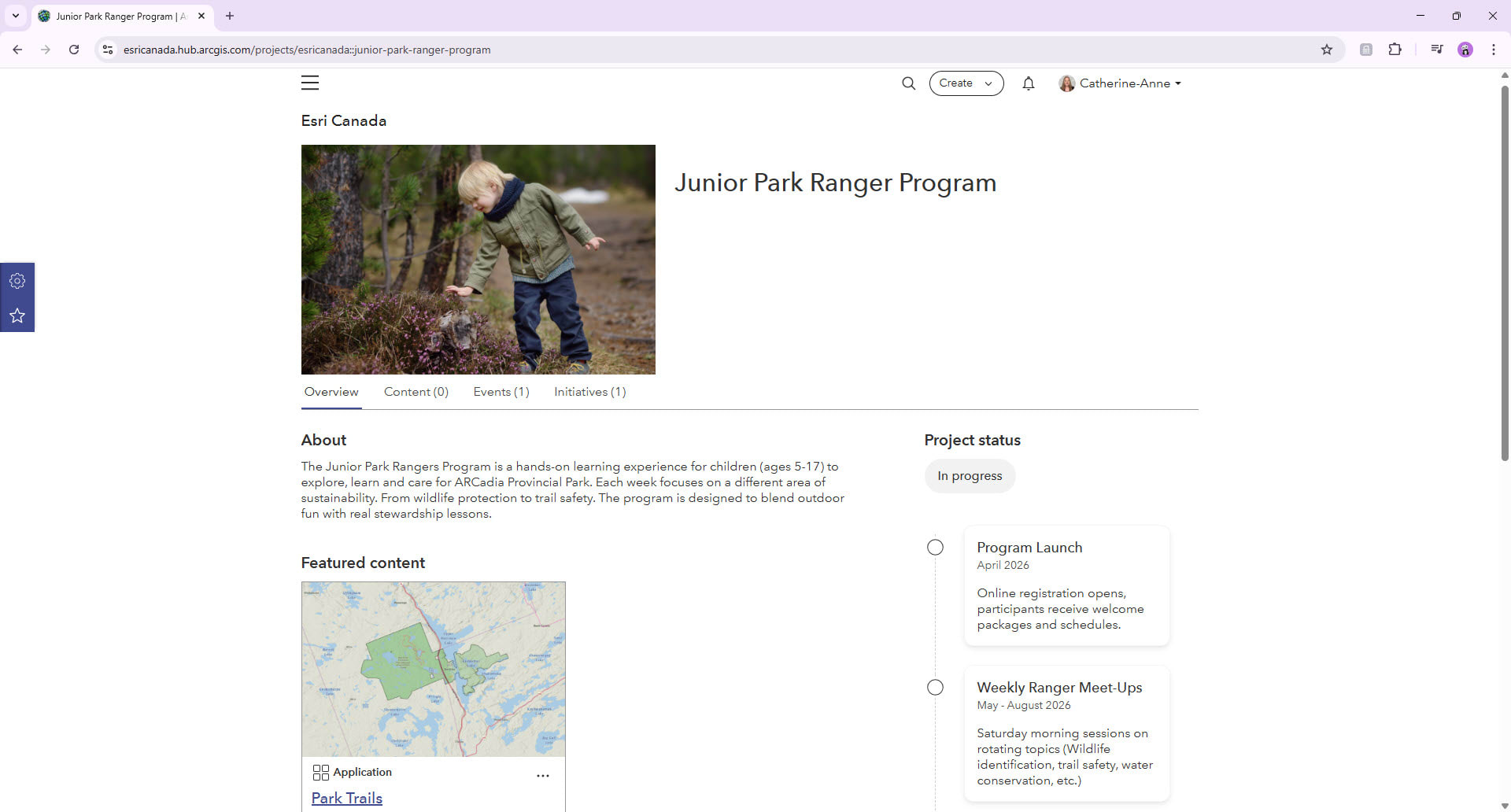
ArcGIS Hub project page highlighting featured content
When creating your project, you are able to choose groups that will have view and edit privileges to your projects page. That means that you can create projects that are only visible to members of your desired groups and not shared with the public, even if they are included in a public facing ArcGIS Hub Site.
TIP: If you would like a user to be able to edit your project information, they must be part of a shared update group that you associate with your project.
With ArcGIS Hub initiatives and projects working together seamlessly, it is easier than ever to collaborate with your community to meet your short and long term goals.
For a step-by-step tutorial on how to create an ArcGIS Hub project, watch this GeoSnap!
Events
With the framework for collaboration set up through your initiatives and projects, the next step is to connect your team and community in real time. ArcGIS Hub events allow you to share information about upcoming meetings and events. Whether your event is online or in person, your events page allows your community to register and find all of the information they need.
For in-person events, you are able to set a location and set a registration capacity. For online events, you have the additional ability to link directly to the website that your event is being hosted on.
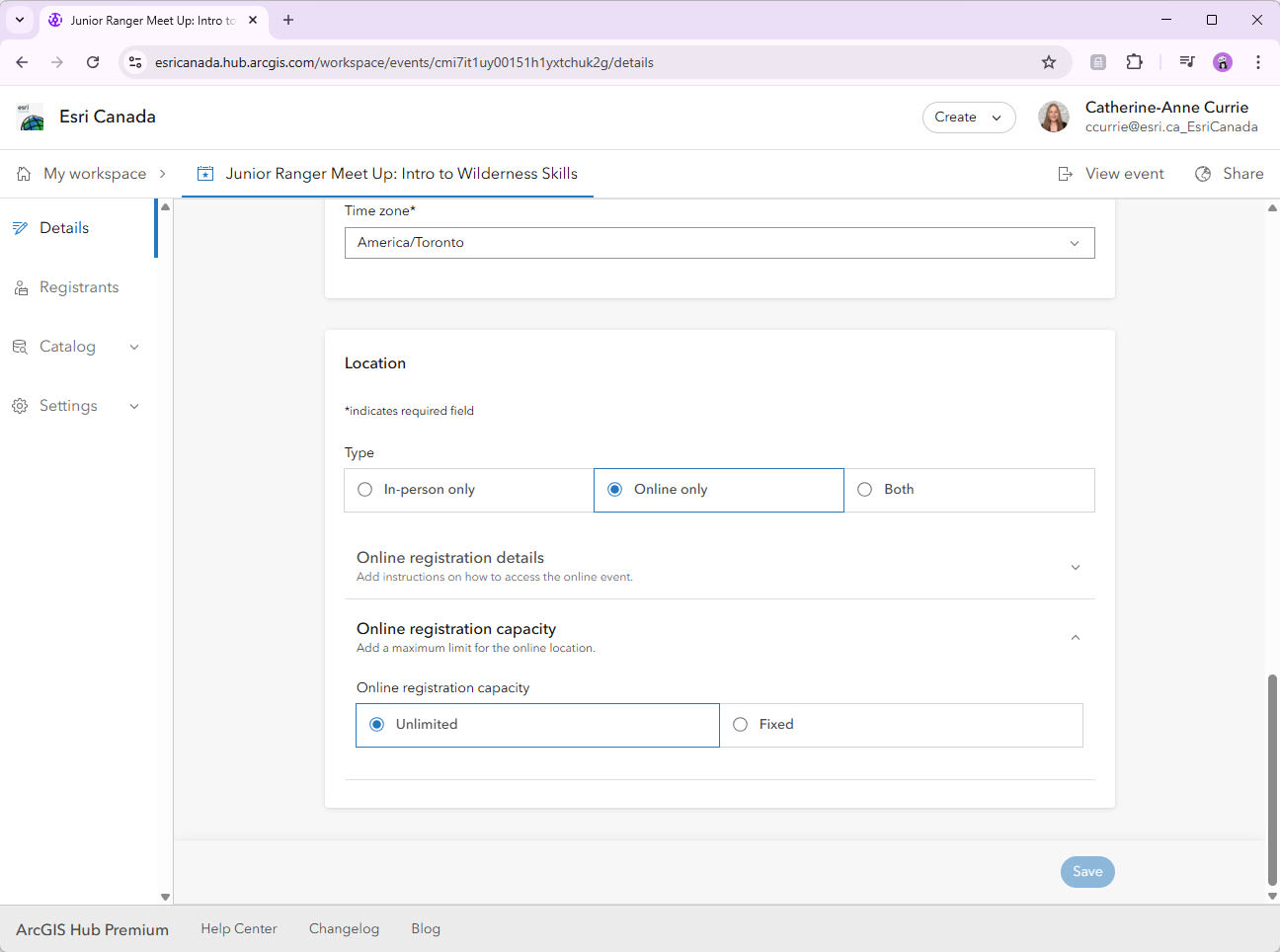
Setting options for online only events
For both types of events, you can search and filter for registrants on the Registrants tab within the events workspace.
Once your event is configured, you are able to share it across your different ArcGIS Hub sites, initiatives and projects. You can even give members of your community organization permission to create events by enabling collaborative events and giving them access to the right groups. ArcGIS Hub events allow your community the opportunity to organize and contribute to your goals.
Here is a GeoSnap with instructions on how you can create your own ArcGIS Hub event!
How initiatives, projects and events work together
When used together ArcGIS Hub initiatives, projects and events are powerful tools for organizing and driving community collaboration. Your high-level goal or idea is your initiative. Within your initiative, you can break down that larger goal into multiple projects, each focusing on a smaller, specific idea that works towards accomplishing your larger goal. Within each of your projects, you can organize and host multiple events that foster collaboration and engage your community. This tiered system allows you the freedom to plan and track multiple goals while keeping an organized and connected structure.
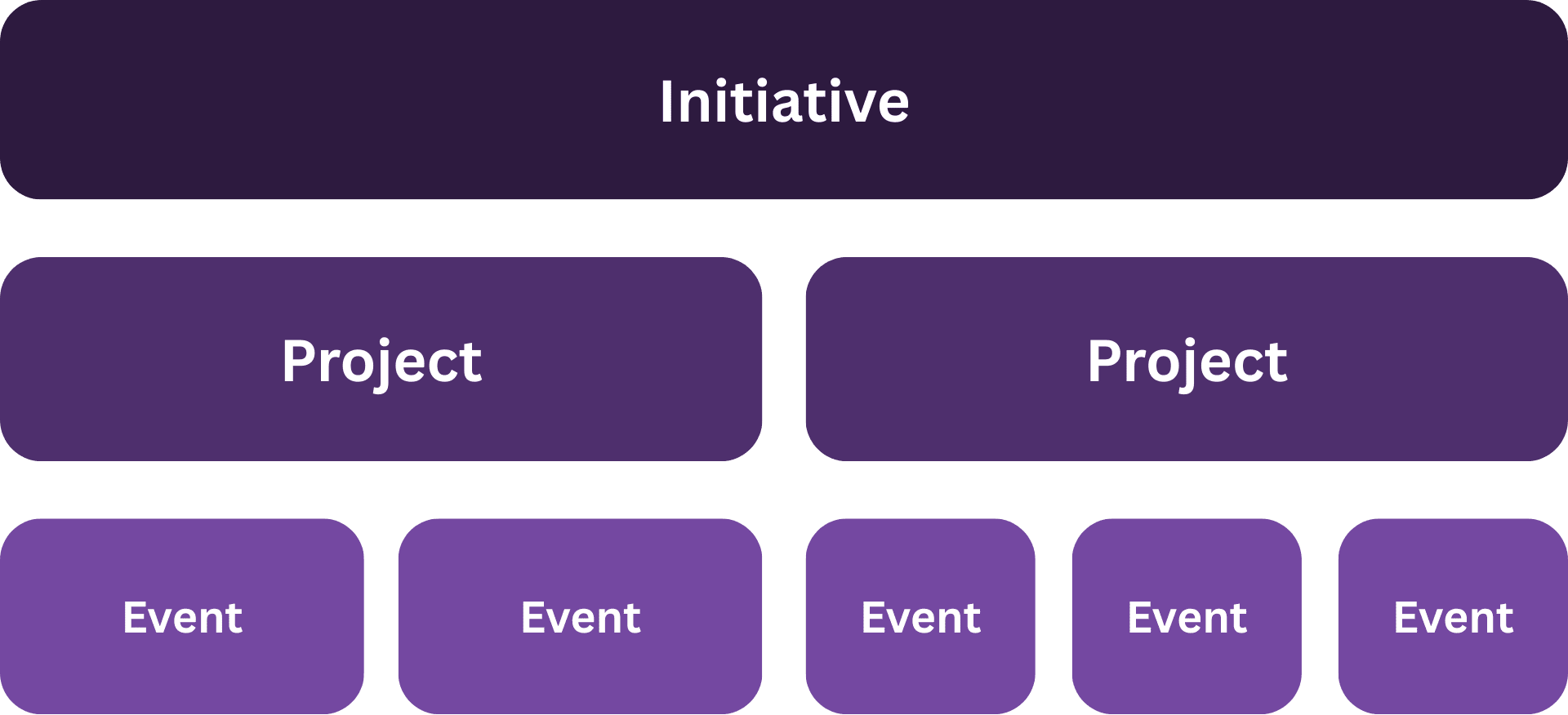
Structure of how ArcGIS Hub initiatives, projects and events work together
ArcGIS Hub initiatives, projects and events are all powerful features on their own, but together they serve as a powerful framework that drives community, connection and collaboration.